helloirfanaditya:~$ cat blog/optimize-laravel-eloquent-for-speed.md
How to Optimize Laravel Eloquent for Speed
Learn practical ways to make your Laravel Eloquent queries faster from eager loading and indexing to caching and query optimization.
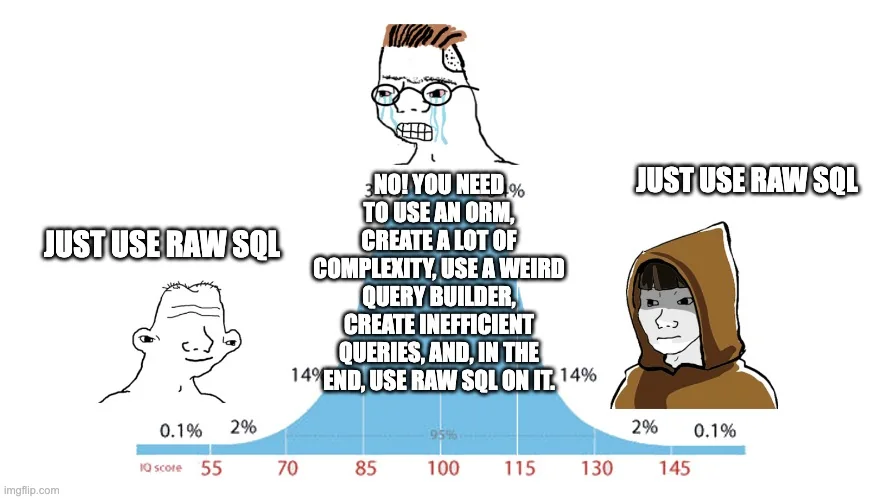
Laravel’s Eloquent ORM is elegant and expressive — but that elegance can sometimes hide performance pitfalls. Whether you’re scaling your app or just trying to reduce page load times, optimizing your Eloquent queries is one of the fastest ways to make your Laravel project snappier.
In this post, we’ll walk through practical tips to make your queries faster, reduce database load, and get the most out of Eloquent.
1. Use Eager Loading to Avoid the N+1 Problem
The N+1 query problem is one of the most common Laravel performance issues. It happens when you loop through relationships without eager loading.
Bad example:
$users = User::all();

foreach ($users as $user) {
    echo $user->posts->count();
}
This runs 1 query for users + 1 query per user’s posts 😬
Better:
$users = User::with('posts')->get();

foreach ($users as $user) {
    echo $user->posts->count();
}
Now it runs only 2 queries total — one for users, one for all related posts.
2. Select Only the Columns You Need
SELECT * is convenient but wasteful. If you’re just displaying a few fields, limit what’s retrieved:
$users = User::select('id', 'name', 'email')->get();This reduces both query time and memory usage — especially on large tables.
3. Use chunk() or cursor() for Large Datasets
When processing thousands of records, loading them all at once can crash your memory.
Instead of:
$users = User::all();Use:
User::chunk(500, function ($users) {
    foreach ($users as $user) {
        // process each user
    }
});
Or, if you need to loop through results one by one without buffering:
foreach (User::cursor() as $user) {
    // process user
}
Both methods drastically reduce memory footprint.
4. Cache Expensive Queries
If a query result rarely changes, cache it instead of hitting the database repeatedly.
$users = Cache::remember('active_users', 600, function () {
    return User::where('active', 1)->get();
});
This stores the query for 10 minutes (600 seconds) — reducing DB hits and speeding up page loads.
5. Use Database Indexes
Indexes are crucial for speeding up lookups. If you frequently query by a column, index it.
Example migration:
$table->index('email');Then queries like:
User::where('email', $email)->first();will be much faster, especially on large datasets.
6. Optimize Relationships
When defining relationships, be intentional:
- Use
hasOneorbelongsTowhen the relation is one-to-one. - Use
withCount()to avoid loading related models when you just need totals.
Example:
$users = User::withCount('posts')->get();This adds a posts_count column — without loading all post models.
7. Avoid Unnecessary Casting or Accessors
Accessors (getSomethingAttribute) and mutators are powerful but can slow down heavy queries when applied to large datasets.
If you’re retrieving hundreds of rows, consider:
- Disabling accessors temporarily using raw queries.
- Only using them for display logic, not data processing.
8. Use Raw Queries When Needed
Sometimes Eloquent adds too much overhead. When performance really matters, use raw SQL or the query builder.
$users = DB::table('users')
    ->select('id', 'name')
    ->where('active', 1)
    ->get();
Or even raw:
$users = DB::select('SELECT id, name FROM users WHERE active = 1');It’s less “Laravel-ish,” but often 2–3× faster for heavy queries.
9. Profile Your Queries
Never optimize blindly. Use Laravel’s query logging or debugbar to see what’s really happening.
DB::enableQueryLog();
// your queries...
dd(DB::getQueryLog());
Or use the Laravel Debugbar to visualize query times directly in your browser.
10. Combine Everything
Here’s a real-world optimized example:
$users = Cache::remember('active_users_summary', 300, function () {
    return User::select('id', 'name')
        ->withCount('posts')
        ->where('active', 1)
        ->orderByDesc('posts_count')
        ->get();
});- ✅ Cached
- ✅ Indexed
- ✅ Eager loaded
- ✅ Minimal data fetched
Conclusion
Eloquent makes database work elegant, but elegance doesn’t have to come at the cost of speed. By using eager loading, indexing, caching, and query profiling, you can make your Laravel app fly without sacrificing readability.
Remember: optimize only when necessary — but always measure the impact.